Geozilla - Family GPS Locator
- 4.2
- Rating
- 10.00M
- Installs
- Free
- Price

 Analysis by App-foxy
Keeping track of people you care about sounds simple until a normal day becomes a chain of messages: “Where are you?”, “Are you already on the way?”, and “Did you get there safely?” Geozilla is built around reducing that back-and-forth with phone location sharing. I found it most useful as a household coordination tool rather than as a constant surveillance device. Its value depends less on the map itself and more on whether everyone using it understands when location sharing is appropriate.
This is a free lifestyle app from GZ TECH, available for everyone by age rating, with optional purchases ranging from $2.99 to $89.99 per item. It has reached over 10 million installs, carries an average rating of 4.2 from around 738 thousand ratings, and has accumulated roughly 3.2 thousand written reviews. Those figures suggest that the basic idea is familiar and useful to a large audience, but they should not be mistaken for a guarantee that every household will enjoy the same experience.
How Geozilla fits into a shared household
The clearest everyday use is a family or group that regularly needs to coordinate movement. Imagine a parent leaving work, a teenager heading home, and another household member waiting to know whether dinner should start. Instead of sending several updates, the people who have agreed to share their location can check the app and make a practical decision. I like this scenario because location becomes a shortcut for coordination, not the entire conversation.
You May Also Like

 Blood Strike: 2.5 Anniversary
Blood Strike’s Loadouts Turn Every Drop Into a Tactical Gamble
A close look at Blood Strike’s custom loadouts: how fast access to signature weapons reshapes its battle royale rhythm, rewards preparation, and narrows the gap between fights.

 Pandora - Music & Podcasts
Pandora’s Music Is Easy to Start, but Harder to Recover
Pandora’s strength is its low-effort path from a seed to a station. Its weak spot is how much confidence it asks you to place in connection, setup, and quiet recovery.

 8 Ball Pool
 Is Built on Rivalries, Rematches, and Routine
A close look at the rivalries, rematches, shared routines, and unanswered safety questions that turn a quick pool match into a persistent mobile community.

 Samsung Music
’s Quiet Strength Is Playing What You Already Own
Its reach comes less from spectacle than from dependable access to a personal library. That simplicity is both the app’s strongest retention engine and its ceiling.

 AccuWeather: Weather Radar
AccuWeather Review: A Quick, Clear Forecast for Everyday Decisions
For everyday plans, the best forecast is the one you can understand quickly. AccuWeather makes rain timing, radar, and local conditions easy to act on, with a few trade-offs.

 Hill Climb Racing
Why Hill Climb Racing Still Turns Crashes Into One More Run
A tiny car, a bumpy hill and one more upgrade: Hill Climb Racing keeps resurfacing because its simple chaos makes every near-miss feel personal.
More From Our News Desk
View All News


It can also help with shared devices. A tablet or spare phone used by several people may be the device that travels with a child, an older relative, or a household member who does not want to manage many messaging conversations. In that situation, the important question is not simply whether the device appears on a map. The household should know who is carrying it, whether it is charged, and whether the displayed position is current enough for the decision being made.
That last point matters. A location tracker is not a substitute for a phone call in an urgent situation, and a map view should not be treated as proof that someone is safe. Phones can be left behind, lose connectivity, run low on power, or be carried by somebody else. I use the map as a prompt for a conversation or a quick planning check, not as an excuse to stop communicating.
The app is particularly convenient for recurring routines: coordinating school pickup, checking whether a household member has started a journey, or finding out which person is closest to a meeting point. It is less compelling for people who rarely need location coordination and already communicate comfortably through ordinary messaging. If your group does not want to share locations, installing a tracker will not solve the underlying trust or scheduling problem.
Start with clear boundaries instead of installing it everywhere
The smoothest setup begins with a conversation. I would decide who actually needs access, what the location is being used for, and when it is reasonable to check it. This is especially important when one phone is shared or when a younger person is involved. A household can be technically connected while still having an unhealthy arrangement if one person feels watched every minute.
Shared-device use deserves extra care. If several people carry the same phone at different times, the location shown belongs to the device, not necessarily to the person a viewer assumes is holding it. A simple household rule—say who has the phone and when—prevents many misunderstandings. Without that rule, a map can create false certainty and lead to unnecessary calls or arguments.
I would also avoid creating an account arrangement that blurs adult and child responsibilities. Each person should understand which device is being located and who can see it. For an older relative, explain the purpose in plain language and make sure the phone is used consistently. For a teenager, discuss privacy and expectations rather than presenting the app as invisible supervision. The age rating of Everyone describes access to the app, not a replacement for responsible family judgement.
Another practical boundary is deciding what the app is not for. It should not be used to follow a partner without clear agreement, to settle an argument about where somebody “should” be, or to make emergency decisions based only on a map. Those are situations where direct communication and appropriate emergency services are more suitable. The app works best when everyone sees it as a shared convenience.
Making location sharing useful instead of noisy
When I use a location tool, I get the most value by attaching it to a specific question. “Has the car left?” or “Which person is nearest to the pickup point?” is more useful than repeatedly opening a map out of habit. This keeps the app from becoming a source of constant checking and makes its role in the household easier to explain.
A useful workflow is to agree on a small number of routines. Before a long trip, the traveler can let the household know that the app will be used for coordination. During an ordinary day, people can rely on messages when plans change. At the destination, a quick message can close the loop. This combination is better than expecting a location screen to communicate every detail, such as delays, detours, or a change of plan.
For pickups, I would check the map before leaving rather than while driving. The person collecting someone can then plan the timing without repeatedly asking for updates. If the location looks unexpected, the next step should be a calm call or message. A tracker can show where a phone is; it cannot explain why the route changed.
For a shared device, place the phone where it is likely to remain with the person or item being coordinated. A phone left in a vehicle can make the vehicle appear to be the person. A spare phone left at home can produce the opposite problem. This is a small operational detail, but it is one of the most important differences between a useful household setup and a misleading one.
I also recommend checking the app’s behavior during an ordinary, low-pressure outing before relying on it for a more important journey. That gives everyone a chance to understand how the location appears, how often they need to open it, and what happens when the device is not with the expected person. Testing the routine is more valuable than assuming the map will always tell the complete story.
Trust, age, and the human side of tracking
Location sharing is partly a technical decision and partly a relationship decision. With adults, explicit agreement should be the starting point. With children and teenagers, the conversation needs to include independence, safety, and the difference between knowing a general location and monitoring every movement. I would explain why the app is being used and what behavior is expected from everyone, including the adults who can view the location.
The app can be reassuring when a family member is traveling alone or when a group is trying to meet in a busy area. It can also create tension if somebody feels that every stop will be questioned. That is why I prefer rules based on situations: use it while traveling, during a pickup, or when a person has asked for help coordinating. A situation-based agreement feels more respectful than an unlimited expectation to remain visible.
For younger users, the adult responsible for the device should consider whether the child understands what location sharing means. The Everyone age rating makes the app broadly accessible, but responsible use still depends on supervision and communication. I would not hand a child a tracked phone without explaining who can view it and why. Nor would I assume that location access alone provides safety.
For older relatives, simplicity may matter more than constant tracking. A phone that is charged, carried consistently, and used with a clear routine is more helpful than an elaborate arrangement nobody remembers. If a relative finds the app confusing, a direct call or a simpler agreed check-in may be the better choice. Geozilla is useful when it reduces effort; it is not useful when it adds another task to an already difficult routine.
What the free model means in practice
The app can be installed without an upfront charge, which makes it easy for a household to try the basic idea before deciding whether it fits. Optional purchases are available, with individual items priced from $2.99 up to $89.99. I would treat those purchases carefully and decide what the household actually needs before spending money. A free starting point is helpful, but it does not mean every possible capability is included without payment.
That pricing range also makes it important to check the purchase screen before confirming anything. Different households have different expectations about subscriptions or paid extras, and one person may assume that another person has already approved a purchase. If the app is used on a shared device, agree in advance who is allowed to make purchases and who manages the account.
Because the app has been available since December 5, 2018, it is not a brand-new experiment in the lifestyle category. Its large install base and strong average rating make it reasonable to consider, but popularity does not remove the need to test it on your own phones. Location tools are sensitive to the way devices are carried and used, so a short household trial tells you more than a store score alone.
One trade-off is that convenience can encourage overuse. The easier it becomes to look at a location, the easier it is to replace a simple message with silent checking. I see this as the main behavioral risk. The best result comes from agreeing on a purpose first, then using the app only when it supports that purpose.
How it compares with ordinary alternatives
Compared with standard messaging, Geozilla is better when several people need a shared view of location without each person sending repeated updates. Messaging remains better for context: a text can explain a delay, ask for a change, or confirm that someone needs help. In my experience, the two approaches work best together rather than as rivals.
Compared with a phone’s built-in location-sharing tools, the decision may come down to what your household already uses and how comfortable everyone is with it. If all members already share a platform and only need occasional location updates, the built-in option may be simpler. Geozilla makes more sense when the group specifically wants a dedicated family locator rather than mixing the task into general phone settings or conversations.
Compared with dedicated tracking hardware, a phone-based app avoids asking the household to carry a separate tracker. That is convenient, but it also means the phone must stay charged, be carried by the right person, and remain available. A dedicated device can be preferable for a particular item or routine, while Geozilla is more natural when the people involved already carry phones.
No location tool can replace emergency services, a responsible adult, or a clear travel plan. If your main requirement is professional emergency response, medical support, or tracking an object that does not reliably travel with a phone, this app may not be the right category of solution. Its strength is everyday family coordination, not specialist safety equipment.
Small habits that prevent big misunderstandings
First, label the household arrangement mentally by device rather than making assumptions about the person. This is essential for shared phones, borrowed devices, and vehicles. Second, use a message when the map conflicts with what you expected. Treat the discrepancy as a reason to verify, not as evidence that somebody is being dishonest.
Third, keep the app out of the driver’s hands while a vehicle is moving. A passenger can check it, or the driver can review it before setting off. The convenience of location coordination is never worth creating a distraction on the road.
Fourth, review the arrangement when routines change. A tracking agreement made for school pickups may not make sense during holidays, a new job, or a different living arrangement. Removing an old device or changing who needs access is part of responsible use, especially in households with shared phones.
Finally, talk about the emotional effect. If one person is checking constantly because they feel anxious, more map access may not solve the anxiety. A predictable check-in plan could work better. This is a non-obvious but important limitation: technology can reduce logistical uncertainty while leaving personal uncertainty untouched.
My household verdict
I would recommend Geozilla to families and small groups that genuinely need a shared location view for pickups, travel, or daily coordination. The free entry point makes experimentation straightforward, and its focus is clear enough for a household to understand quickly. I especially see value in homes where several people move on different schedules and repeated “where are you?” messages have become routine.
I would skip it if nobody is comfortable sharing location, if the phone will often be left behind, or if the real need is emergency response rather than ordinary coordination. I would also choose a simpler built-in phone solution when the household already has one that everyone understands. Installing another app only helps when it makes the routine clearer, not when it creates another account, another screen, and another source of disagreement.
My final view is positive but measured: the app is most useful when trust and purpose come before tracking. Set expectations, account for shared devices, confirm surprising locations directly, and remember that a map shows a phone rather than a complete human story. Used that way, Geozilla can make household planning calmer without turning every movement into a report.
FAQs for Geozilla - Family GPS Locator
01What is GeoZilla – Family GPS Locator used for?
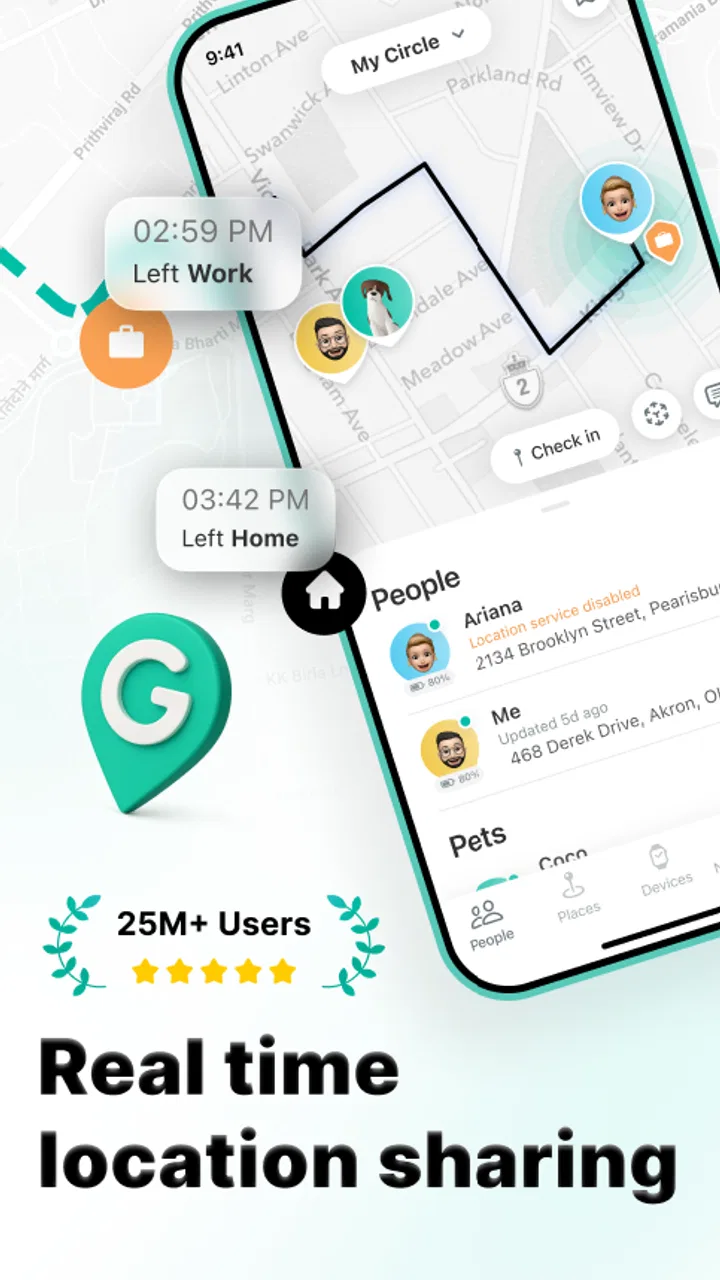
GeoZilla is a family safety and location-sharing app designed to help relatives stay connected. After creating a private family circle, members can share their real-time or recent location, check arrival and departure notifications, and communicate through the app. It can be useful for coordinating daily routines, checking whether children arrived safely, or keeping track of elderly family members, provided everyone involved agrees to use location sharing.
02Does GeoZilla track a family member’s location continuously?
GeoZilla can provide location updates, but the exact frequency and accuracy depend on the selected settings, phone permissions, GPS signal, mobile data, battery level, and the operating system. Users normally need to grant location access and allow the app to operate in the background for reliable updates. It is not a guaranteed substitute for emergency services, and occasional delays or inaccurate positions can occur indoors or in areas with weak connectivity.
03Is GeoZilla free to download and use?
GeoZilla can generally be downloaded at no initial cost, but some features may require a paid subscription or in-app purchase. Basic location-sharing functions may be available without payment, while advanced tools such as extended location history, additional safety alerts, or premium family features can vary by plan and region. Before subscribing, review the price, billing interval, trial conditions, and cancellation policy shown in the relevant app store.
04Does everyone in the family need to install GeoZilla?
For the most complete experience, each person whose location will be shared should install the app, create or join the same private circle, and approve the necessary permissions. A family member may be able to interact through limited features or an invitation process, depending on the current version and device. Location sharing should always be transparent and consensual; the app should not be used to secretly monitor another person.
05What permissions and privacy considerations should I know about before downloading GeoZilla?
GeoZilla may request access to location services, notifications, motion or activity data, contacts, and other phone functions used for family alerts and communication. Some permissions, particularly background location access, can affect battery life and privacy. Before using the app, read its privacy policy, check which data is collected and shared, and adjust permissions to your comfort level. Also remember that every circle member should understand who can view their location and when.
Pros
- Accurate location updates help families coordinate pickups and arrivals.
- Geofenced place alerts can notify you when members reach or leave key locations.
- SOS features provide an extra way to request help during emergencies.
- Location history can help review recent trips and movement patterns.
- Supports family groups
- making it easier to manage multiple members in one account.
Cons
- Continuous GPS tracking can noticeably reduce battery life on some phones.
- Many useful safety features require a paid subscription after the trial period.
- Location accuracy may drop indoors
- underground
- or in areas with weak signals.
- Frequent notifications can become distracting if alerts are not customized.
- All family members must agree to sharing their location
- raising privacy concerns.

Geozilla - Family GPS Locator
Gallery